For use with Dante, the Dante protocols option should be enabled in Control Cockpit > Network tab. There are also a few Network Modes as it pertains to current/intended connectivity.
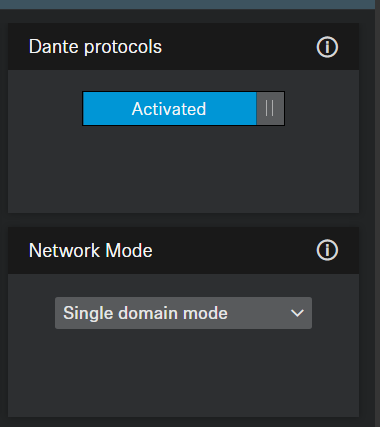
Dante Network Modes include the following:
Single Domain - One overall network deployment, one IP range, one switch for Control and Dante
Dual Domain - Two separated networks for Control and Dante via one cable, with two different IP addresses in the same range/ one switch
[If using the TC Bar M, the second port might be used to connect a TCCM or SL MCR]
Split Mode (TC Bar M only) - two separated networks; Dante is physically isolated from Control functionality by utilizing both ports into two networks.
In Split Mode these ports must not connect to the same switch in order to avoid network looping.
Both TC Bars feature several audio routing options as well as two external microphone input options.
In general, the unit will need to be USB'd to the computer (USB C) for playback purposes
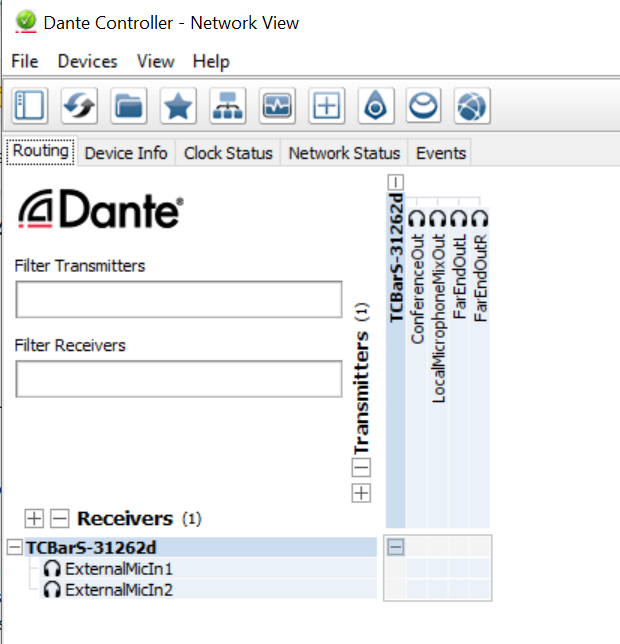
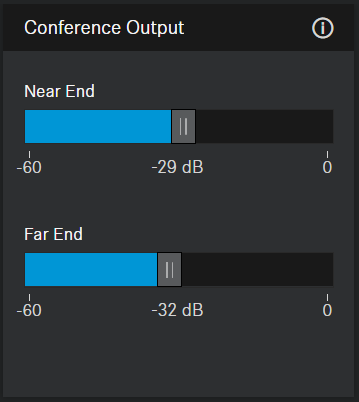
ConferenceOut: Mixed signal (far end participants + in room) with two independent level controls in Control Cockpit:
Local Microphone Mix Out: • Audio data from TC Bar and any external microphones.
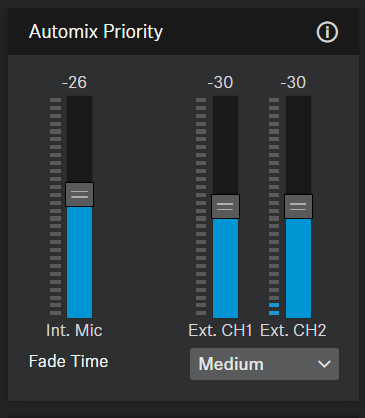
Any microphones routed to the TC Bar's External Mic Inputs can be prioritized using the Automix Priority faders and balanced (based on priority level) as needed:
Far End Out L & Far End Out R: Same signal on both channels (mono).
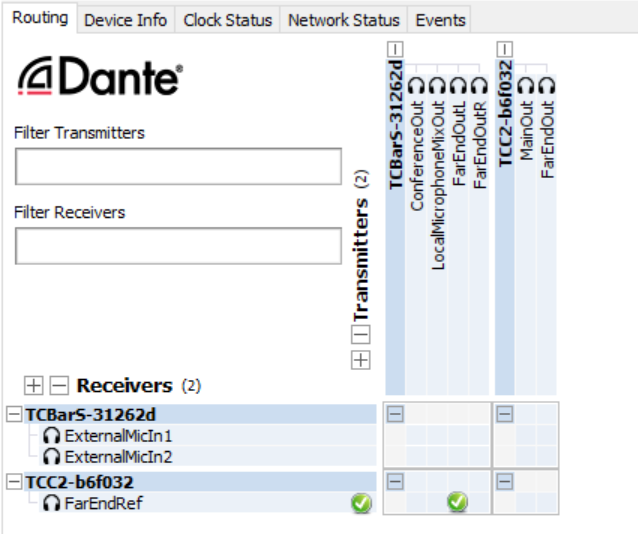
This is an audio stream for an AEC Reference channel for TCC2 or TCCM microphones:
For further details on network integration and best practice suggestions, please refer to the attached Team Connect Network Guide.