Connectivity
The TC Bar S and M offer very similar connectivity options, seen below.
Functionally, the TC Bar S is designed to cover between 5-7 people in a ~10' x 15' space, whereas the TC Bar M is designed to cover between 10-12 people in a ~ 15' x 20' space.
Both units are scalable and can be utilized with external microphones such as the Speechline Wireless or TCCM, or USB PTZ cameras, or as a standalone solution by itself.
Some connectivity options (and differences) at a glance:
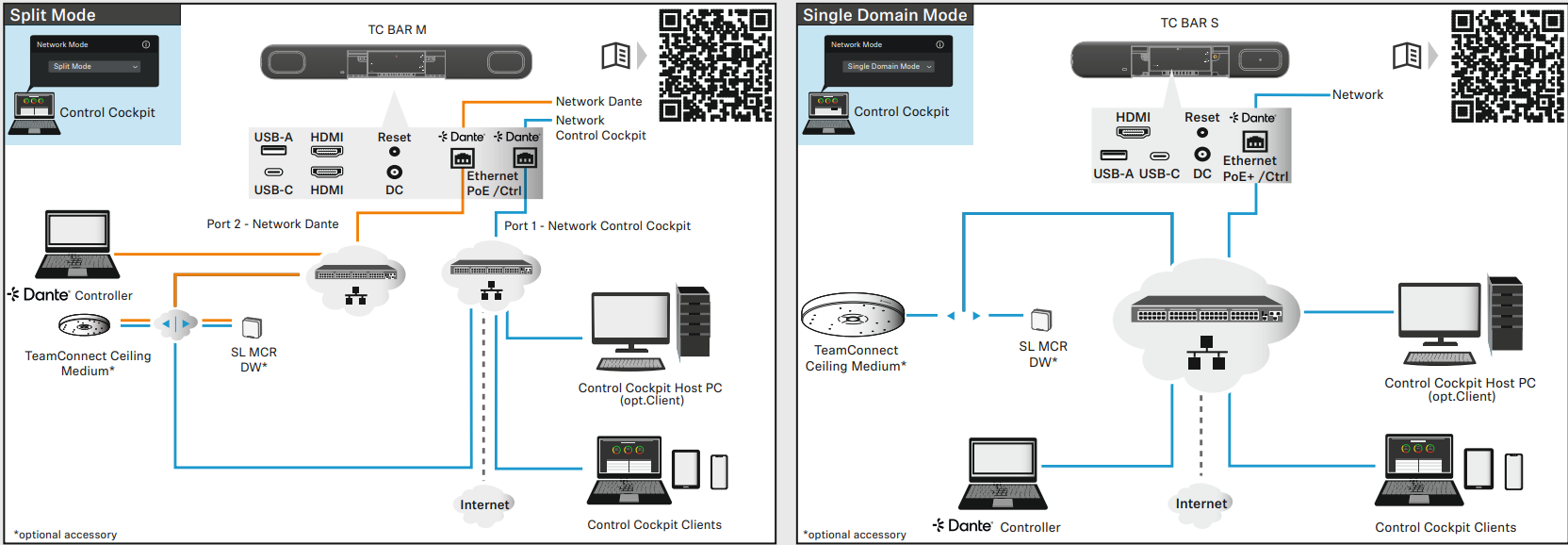
Connectivity includes:
- HDMI input from an external monitor (1 for TC Bar S; 2 for TC Bar M)
- Control + Dante over ethernet
- USB C as the main connection to a computer
- USB A input for external device
- DC Power socket
The TC Bar S offers one single RJ45 for Control and Dante; it can also be powered over this connection if connected through a POE+ capable network switch.
The TC Bar M requires it's supplied DC power supply to operate. It offers two RJ45 ports for Control and Dante which are configurable depending on the intended network configuration.
Each unit has a small reset button on the back in order to physically factory reset the unit. This is done by using a small pin and holding the reset button in for 7 seconds.
Remote Control Overview
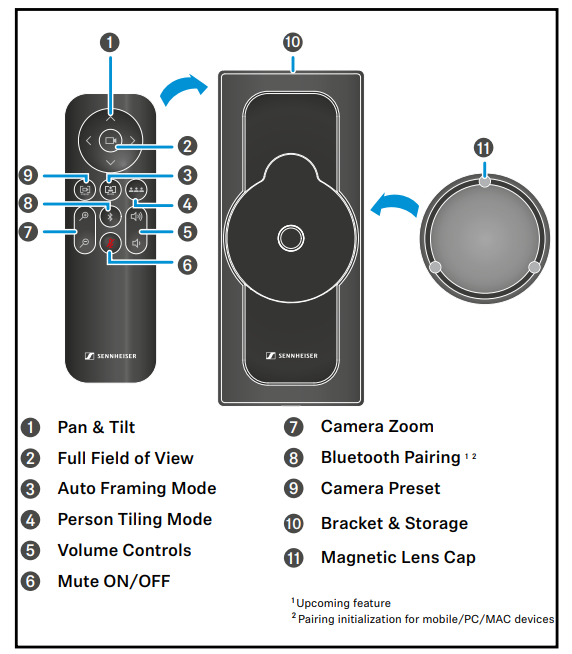
Lastly, some specific use cases outlining use both as a BYOD option, and with other peripherals are linked below.
Use Cases
TeamConnect Bar S connected standalone via USB to a laptop in a small meeting room.
This set-up can also be used for Team Connect Bar M installed in a mid-sized meeting room.
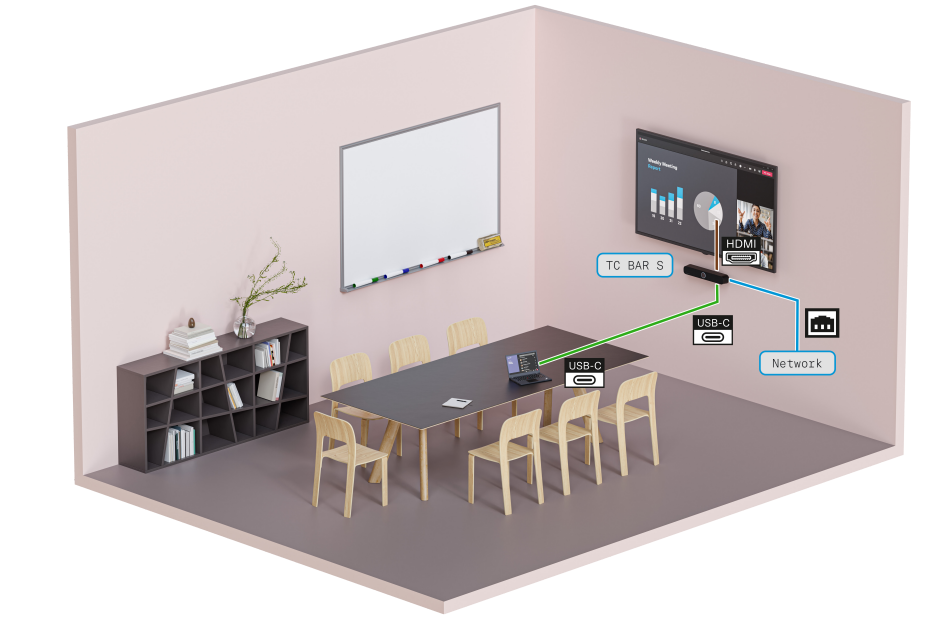
The above utilizes the TC Bar S as a simple USB camera, microphone, and speaker solution and fully controlled over the network via Sennheiser Control Cockpit, using the HDMI connectivity to an external display.
2. Mid-sized meeting room equipped with TeamConnect Bar M and a 2nd (PTZ) camera:
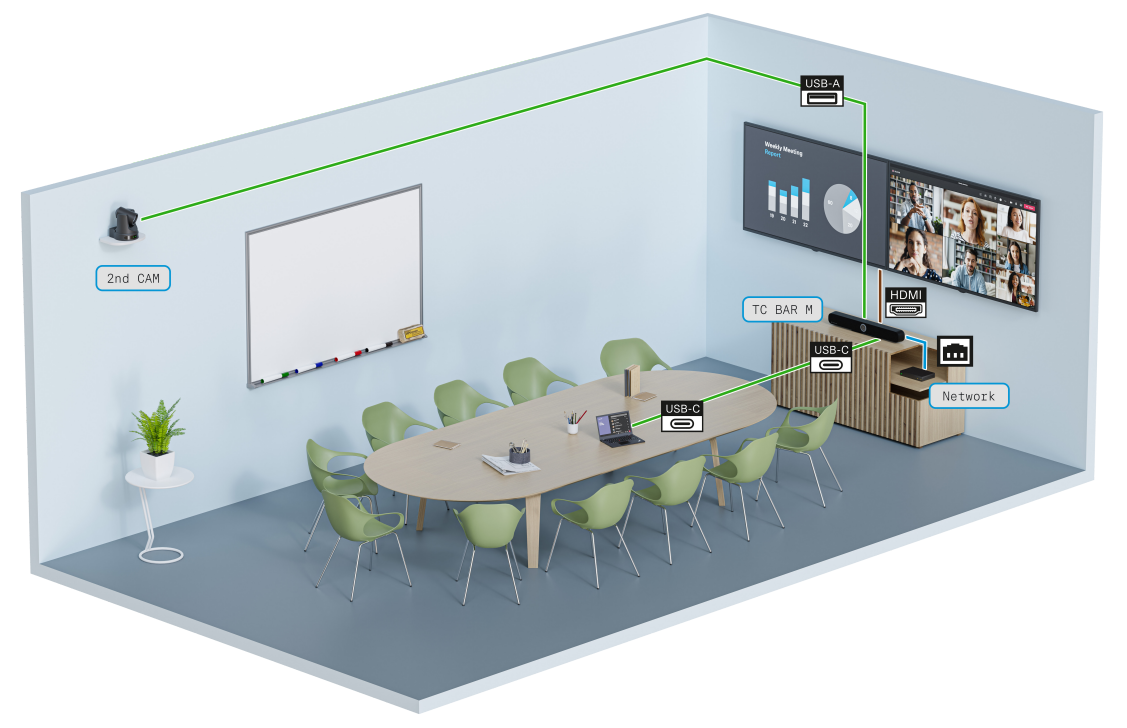
In this scenario an external PTZ camera is deployed into the TC Bar M's USB-A jack. This camera is controllable through Sennheiser Control Cockpit.
The TC Bar M is also connected to the network for Control Cockpit access and via USB-C directly into the computer for playback.
HDMI out extends on screen coverage to an external monitor.
3. TeamConnect Bar M installed with a SpeechLine MCR and SpeechLine Boundary mic in a mid-sized meeting room:
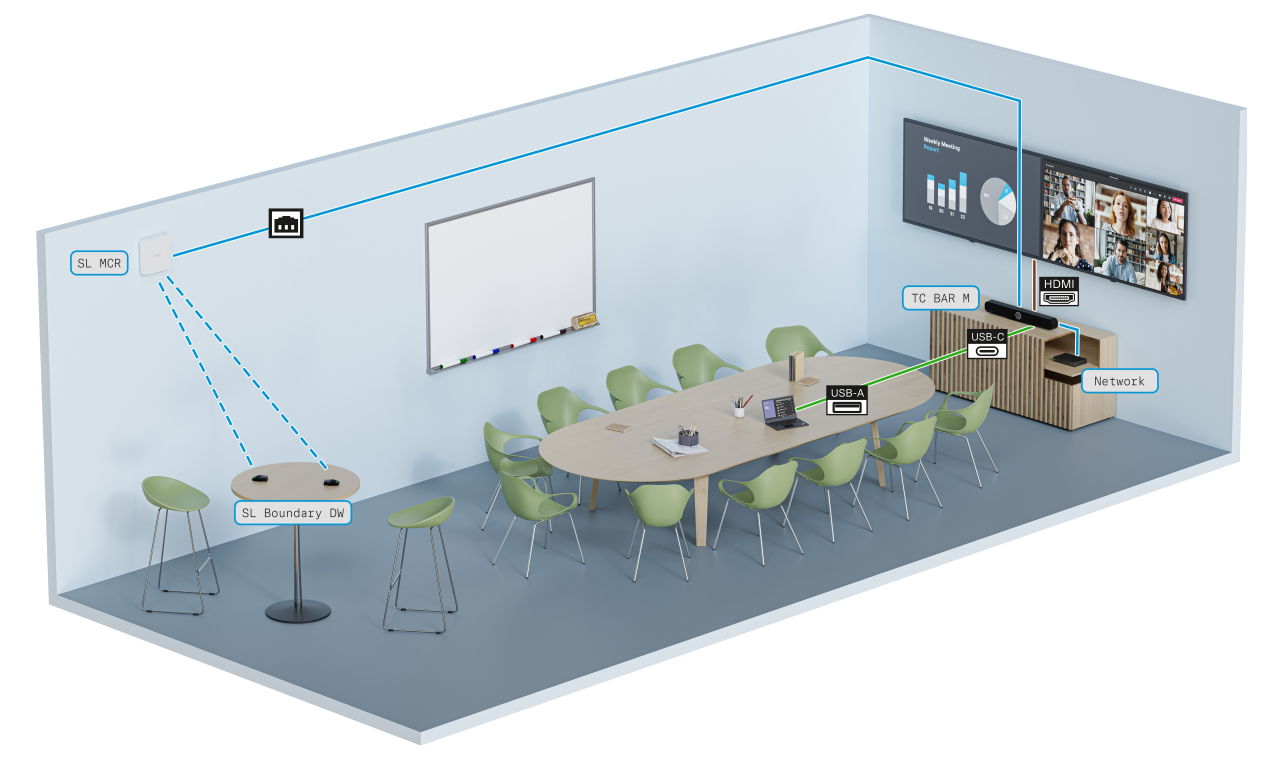
In this case, the TC Bar M and Speechline Wireless are deployed into the room's network for full room coverage. Both units are routable through Dante, and both are controlled through the Sennheiser Control Cockpit.
The TC Bar M is additionally connected over HDMI to an external monitor, and directly over USB C for playback through the computer.
For further details, examples, and best practices please see the attached TeamConnect Bar: Audio/Video Application Guide document.