Mute
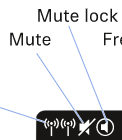
About Mute Lock: Both the receiver and Smart Assist app have Mute Lock functionality, to disable the mute switch as a way of being able to control inadvertently muting oneself. You can find this in the receiver's main menu by pressing SET (Gain should flash on the right side), then use the arrow keys to find Mute Lock, and press SET again to open it.
Mute Lock can be overridden from the Smart Assist app and can also toggle mute status on and off.
Note: you can inadvertently find your EW D in a muted status if you try to use two transmitters simultaneously with one receiver. The EW D does not support simultaneously running transmitters to one receiver, and in this situation the first transmitter must be powered off before the second one is powered on and synced to the receiver.