Ensure the three pin analog connection on the back of your Team Connect 2 or Team Connect Medium is either connected to a Digital Signal Output processor (DSP), or a Video Conference Codec if incorporating video. Speakers must be connected to either your DSP or Video Conference Codec.
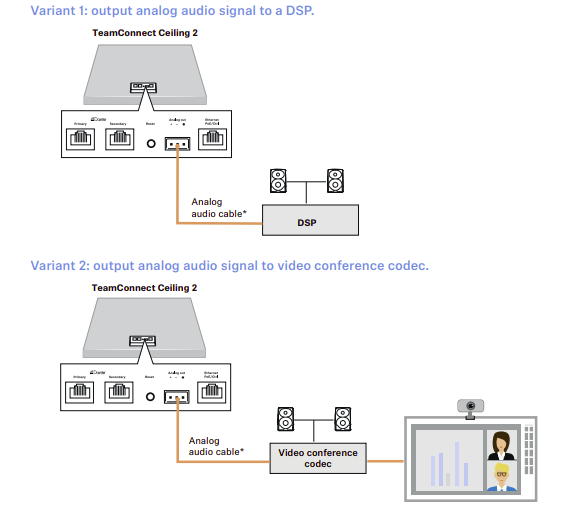
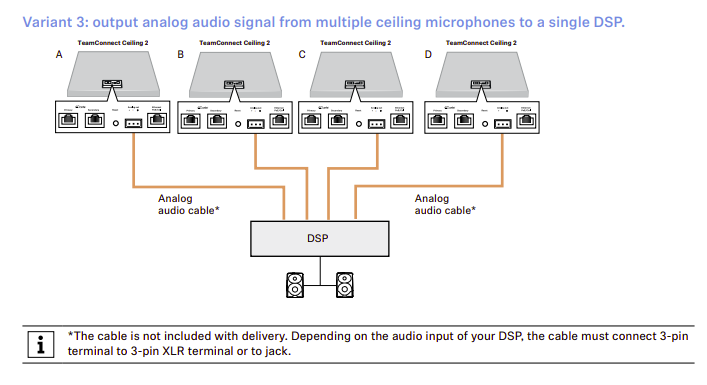
You can connect multiple Team Connect units to a single DSP by connecting the analog outputs of each TCC 2/TCC M to the inputs of your DSP (which is then connected to speakers.)
Please note the input style connection of your DSP's input, as analog cables are not provided with your Team Connect ceiling microphone.
From left to right, the analog jack on both Team Connect models is wired in [ + - Ground] order.
It can also be used in conjunction with Dante.